
Microsoft Office Takes a Freemium Path to the iPad
After a long delay due to the company's focus on Windows, Microsoft launched three Office apps on Apple's popular iPad platform Thursday. You can read documents with the apps for free, but editing them will cost ya.
Heads up: this content is over 5 years old, so some information may be out of date.
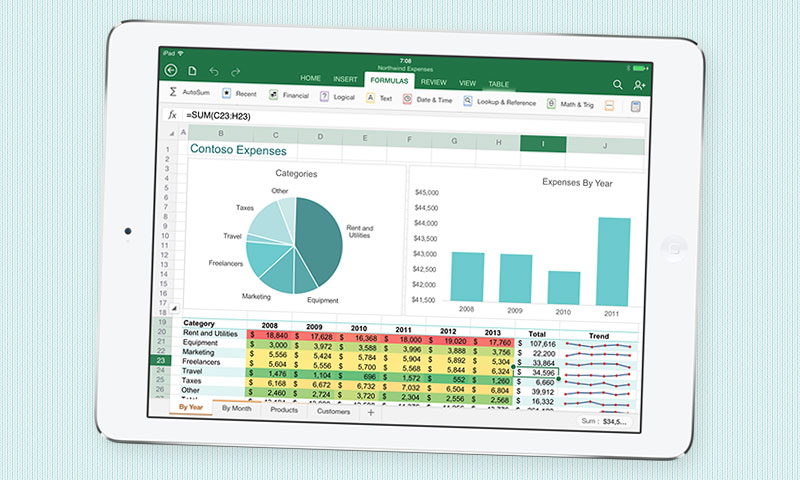
After a long delay due to the company’s focus on Windows, Microsoft launched three Office apps on Apple’s popular iPad platform Thursday. You can read documents with the apps for free, but editing them will cost ya.
The long wait is over, iPad users.
In the four years since Apple’s tablet device first fell into the public’s hands, many had been wondering when (or if) Microsoft would bring its breadwinner Office platform to the device. For years, the company didn’t—choosing instead to focus on its own Windows devices, including the Surface tablet. This was a strategic decision.
That strategy softened after new CEO Satya Nadella took the helm, and on Thursday, Microsoft brought Word (opens in a new tab), Excel (opens in a new tab) and PowerPoint (opens in a new tab) to the device as part of a broader strategy to make its Office 365 platform common everywhere. (OneNote (opens in a new tab), a note-taking program that’s been an under-the-radar part of Office for a few years, beat the stalwart apps to the platform by a few days. It’s available for free; no subscription required.)
“Our commitment going forward is to make sure that we drive Office 365 everywhere,” Nadella said during an event Thursday (opens in a new tab). “So that means across the web, across all phones, across all tablets, across PCs. That’s our real commitment to Office 365 everywhere.”
The long wait between the iPad’s launch and the launch of Office had some negative side effects for the company, in that a number of apps in the App Store already occupy Office’s niche, such as CloudOn (opens in a new tab) and Google’s QuickOffice (opens in a new tab) app. This is reflected in the company’s ad for the device, which describes the apps as “the real Microsoft Office apps for iPad”:
As for the apps themselves, they include many of the features you rely on in the desktop versions. For example, Word allows users to track changes in editing, and Excel gives you the perks of formulas, tables, and other elements common to the desktop app. But they also include forward-thinking aspects: All three apps sync up via the company’s OneDrive cloud service, while Excel has a specialized on-screen keyboard designed specifically for inputting equations.
Wondering what this will put you back? It depends—if you’re just looking to view files on the fly, it’ll be free for you. But if you’re looking to do some heavy-duty editing via your touchscreen, you’ll need an Office365 subscription. (Fortunately, if you already subscribe to the $99-per-year software-as-a-service platform (opens in a new tab), it won’t cost you any extra.)
Had you been looking forward to an iPad version of Office? Offer up your take in the comments.
(Microsoft)

Comments
Comments are for ASAE members. Learn more about comments on this site.
Log in to your member account or join ASAE!