
Article Meetings / Events 4 min read
3 Ways To Make Your Hybrid Meetings More Inclusive
A rethinking of your association’s in-office AV equipment could help create a best-of-both-worlds situation for hybrid workers, no matter where they are.
Heads up: this content is over 2 years old, so some information may be out of date.
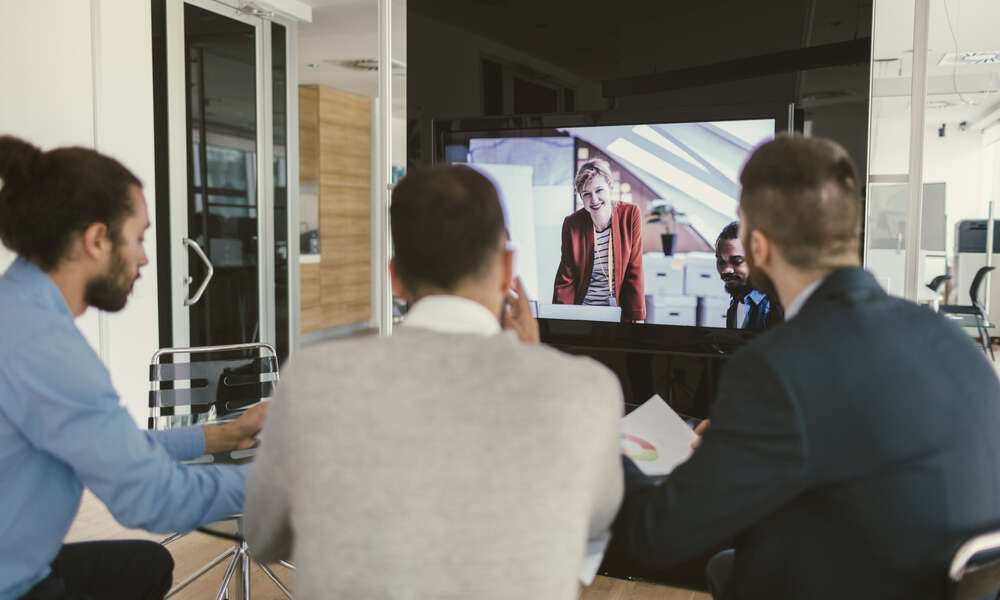
Developing a work setup in which everyone is on equal footing can be challenging in normal circumstances. But an environment where some people are in the office and others aren’t? It threatens to get complicated, fast.
For one thing, there is a real risk that workers in the office may get an outsized amount of attention compared with remote workers—a problem Workplace Intelligence Managing Partner Dan Schawbel noted was an issue for remote workers (opens in a new tab) long before the pandemic.
But with a larger percentage of companies having remote employees, it’s no walk in the park for in-office personnel either, with a recent New York Times story (opens in a new tab) referring to it as “the worst of both worlds.”
So how can offices become a little less bad for hybrid meetings—so that people are front of mind, no matter where they are? Here are a few ideas.
Invest in Good Audio Technology
A lot of time in hybrid meetings is wasted on participants struggling to hear one another. This can happen for a variety of reasons—low-quality audio equipment, slow internet connections—but one particular problem in the office is background noise, which distracts 99 percent of office workers (opens in a new tab).
With large or open offices, sound can travel too far, creating echoing and background noise for other workers. A few useful options to resolve these issues emerged in the WeWork era of office life, including the use of connected “phone booths” (opens in a new tab) that allow individuals to have isolated conversations without distracting their neighbors. Also worth considering are acoustic panels (opens in a new tab), which can cut back on the amount of noise that bounces off the walls, and noise-canceling headphones (opens in a new tab), which can lessen the effects of outside noise on a person trying to get things done.
And for the conference room, microphone technology that can capture every speaker (opens in a new tab) can improve clarity significantly.
Rethink the Conference Room
At a time when some remote workers can have as many as 10 meetings a week (opens in a new tab), a meeting with a lot of people who are in a different room together can be complicated to follow.
On the other side, putting people who are in a shared space together on their individual laptops for a Zoom call can become a pain point for those workers.
With that in mind, it might be worth investing in camera technology that can capture multiple speakers at a single event. In recent years, companies such as Poly (opens in a new tab) have invested heavily in “smart camera” technology that can track individual speakers at an event and adapt as necessary. (A smaller-scale version of this is Center Stage (opens in a new tab), a feature in a number of recent iPad models.)
However, if your in-office meeting needs are changing, perhaps your in-office meeting space design should too.
“Conference rooms and the conference-room technologies were designed with remote work as an afterthought,” said Edward Wagoner, a chief information officer at the commercial real estate firm Jones Lang LaSalle, Inc., in comments to The Wall Street Journal (opens in a new tab). “We need to redesign them to be more inclusive.”
Leverage Interactive Whiteboard Tools
One other factor to consider is building ways to interact during a meeting that are comfortable for remote and in-office employees alike. One place to look is the digital whiteboard (opens in a new tab). The technology has gained interest in classrooms in recent years, and it has the added benefit of being cloud-accessible, so users can interact with information presented on the screen no matter where they are … even if they don’t have a giant touchscreen in front of them.
These tools, such as Miro, have gained a lot of attention for striking a good balance among remote and in-person participants. Janelle King of Excel Leadership said that the approach can allow even the camera-shy to stay involved in a virtual or hybrid event.
“I think that’s a great way to make sure that everybody feels that they can be heard. Sometimes people don’t necessarily feel like coming on camera,” she said in an interview last spring.
One challenge that might face those interested in such an approach is (again) room design, according to TechTarget (opens in a new tab). If you don’t have an interactive whiteboard-style device and everyone is just using their laptops, you’re not getting the proper experience.
“Now, the room has to be a hybrid room,” David Maldow, founder and CEO of Let’s Do Video, told the publication. “It has to be a hybrid experience. It’s not a room meeting; it’s a Zoom meeting because half your team is not there.”
(vgajic/E+/Getty Images Plus)

Comments
Comments are for ASAE members. Learn more about comments on this site.
Log in to your member account or join ASAE!