

 Sponsored By TopClass
Better Asynchronous Learning: Stop Uploading Zoom Recordings
Discover effective asynchronous learning tips to transform passive webinar recordings into engaging on-demand educational experiences for your members.
For many associations, the quickest way to provide on-demand education is to upload recorded Zoom meetings or webinars to a learning management system (LMS) and call them a course. However, a 2023 educational research study found that dumping raw recordings online actually harms engagement by encouraging passive study habits and reinforcing the flawed idea that memorization equals learning. The takeaway: Avoid publishing live events into a digital library without a structural redesign.
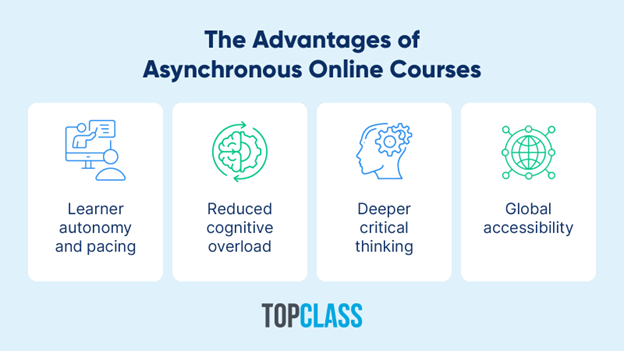
When designed intentionally, asynchronous courses offer incredible advantages. They provide learner autonomy and pacing, reduce cognitive overload, foster deeper critical thinking, and ensure global accessibility for all members. As the professional landscape shifts, your association needs to evolve beyond static video files and deliver dynamic material that helps professionals build tangible skills.
By adopting a deliberate approach to instructional design, you can transform basic webinar recordings into vibrant learning opportunities. Let’s explore strategies for creating digestible, engaging courses your members will actually retain.
1. Break Long Videos Into Micro-Learning Modules
Watching multi-hour videos often overwhelms a learner’s cognitive capacity. Beyond that, adult education requires shorter, digestible content that fits into busy professional schedules. That’s exactly why forward-thinking associations adopt a microlearning approach.
Adult learners retain information best when it’s delivered in focused, 10- to 15-minute intervals. Pushing past this window degrades comprehension, meaning the back half of a lengthy, unedited webinar is often entirely ignored. Segmenting your recordings into highly specific, bite-sized topics directly aligns with how the brain naturally learns.
TopClass’ asynchronous online course guide provides a great example of microlearning. Instead of publishing a single 60-minute video on “Project Management,” you could create six approximately 10-minute modules covering distinct topics like “initiation” or “risk assessment.” This allows learners to pinpoint exactly what they need without scrubbing through an hourlong recording.
Microlearning Techniques
Here’s how you might segment lengthy recordings:
- Isolate single learning objectives to create standalone modules. Don’t just arbitrarily chop a video at the 10-minute mark. Slice the content so each module covers one distinct topic and makes sense independently. This allows learners to digest information and jump straight to videos on the exact skills they need to learn.
- Edit out the fluff. Live webinars are often full of housekeeping announcements and sometimes off-topic Q&As. Remove those elements when repurposing live content. Modules should be focused and evergreen.
- Build a modular architecture. Group your videos into logical, progressive pathways. This not only creates a better learning journey but also simplifies your backend updates, letting you swap out a single outdated topic rather than rerecording an entire presentation when industry standards evolve.
Take this modular strategy further by tagging each short video with specific metadata attributes. Members should be able to search your LMS for a hyper-specific topic and instantly find the video they need.
Add Interactive Knowledge Checks Throughout Videos
Staring passively at a screen makes it hard to encode new information. In contrast, inserting interactive elements into your videos encourages active engagement with the material.
Interactivity involves more than just slapping a “true or false” question at the end of each video. By placing knowledge checks in the middle of content, you prevent learners from letting the video play in the background while their attention wanders. This serves as a much more accurate measure of active attendance than simply tracking whether someone clicked “play.”
Designing Effective Mid-Video Assessments
Keep your members engaged with these strategies:
- Test memory immediately. Asking learners to recall information right after they hear it helps lock the data into their long-term memory.
- Mix up your question types. Go beyond basic multiple-choice questions by using drag-and-drop scenarios, polls, or matching games. For example, a paralegal course could use a quick sorting exercise to see if learners can correctly identify ethical boundaries.
- Provide instant feedback. Let learners see their results right away. Giving a brief explanation for incorrect answers clears up confusion before it snowballs.
- Require correct answers to move forward. When implementing your association’s LMS, configure it so learners must pass the current knowledge check before unlocking the next video.
Finally, use your overall quiz results to improve your courses. If a large chunk of your audience consistently fails the same mid-video question, the problem likely isn’t the learners but the material. This gives you a clear signal on exactly what part of your course needs an update.
Provide Downloadable Supplemental Resources
Videos are great for explaining new concepts, but they don’t always give learners something they can use on the job right away. Pairing your courses with downloadable resources bridges the gap between learning a theory and actually doing the work.
A video might explain the theory behind a new industry regulation, but a compliance checklist gives a learner the exact tool they need to implement it the next morning. To support this approach, Clowder’s member engagement guide recommends creating a resource library where members can find e-books, worksheets, and other materials that support independent learning.
Integrating Downloadable Materials
Support your digital curriculum by integrating video lessons with the following types of downloadable materials:
- Ready-to-use templates: Give members tools they can plug straight into their daily workflow.
- Quick-reference cheat sheets: Create one-page PDF summaries or daily checklists highlighting a module’s most critical points to quickly refresh a learner’s memory without having to re-watch a video.
- Transcripts and reading guides: Support members who learn better by reading than watching with detailed transcripts and reading lists learners can print, highlight, and study at their own pace.
- Deep-dive e-books: Provide comprehensive guides for learners who want to explore complex topics in detail, even after finishing the course.
Make sure to brand every downloadable resource with your association’s logo. When members share these tools with coworkers, they serve as a physical reminder of the value your organization provides through its industry training.
Facilitate Discussion Boards to Encourage Social Learning
The primary drawback of asynchronous learning is the isolation. Integrating discussion forums into your course modules reintroduces critical peer-to-peer knowledge sharing.
Community Facilitation Strategies
Cultivate a thriving asynchronous learning community by implementing these strategies:
- Seed boards with specific prompts. To drive valuable conversation, give members a concrete scenario to tackle. Asking them to apply a course concept to a recent problem they’ve encountered in their work can immediately elevate the discussion. For instance, a medical society could prompt physicians to discuss how they would handle a specific patient-compliance challenge.
- Embed boards to reduce friction. Place dedicated discussion boards directly beneath the video player. This setup prompts learners to post their thoughts while the instructional content is still fresh in their minds.
- Have instructors and industry professionals jump in. Course facilitators and other thought leaders can guide conversations by stepping in to validate excellent points or gently correct inaccuracies. This approach keeps the discussion valuable and accurate.
Mine these discussion boards for your next round of content creation. The most hotly debated topics or frequently asked questions serve as a perfect blueprint for future microlearning modules or live webinar subjects. By making space for peer feedback and connection opportunities, you’ll create an invaluable feedback loop that boosts member retention.
Transform Your Asynchronous Learning Strategy
Your members turn to your association to advance their careers, not to watch unedited Zoom videos. When you create digital courses with their actual needs in mind, you transform professional development from a mandatory chore into a highly anticipated benefit. The right approach shows your audience that you value their time and are invested in their real-world success.
Remember, implementing a purpose-built association LMS provides the technical infrastructure required to actively power these modern educational initiatives. With a specialized platform in place, your team can seamlessly deliver interactive modules and manage complex certification paths at scale.