
Article Marketing / Communications 2 min read
Microsoft Office Hits the iPhone: What You Should Know
In a move that some users have been clamoring for for ages, Microsoft is bringing its long-dominant Office platform to Apple’s mobile platform. But don’t expect it to work exactly like the desktop interface.
Heads up: this content is over 5 years old, so some information may be out of date.
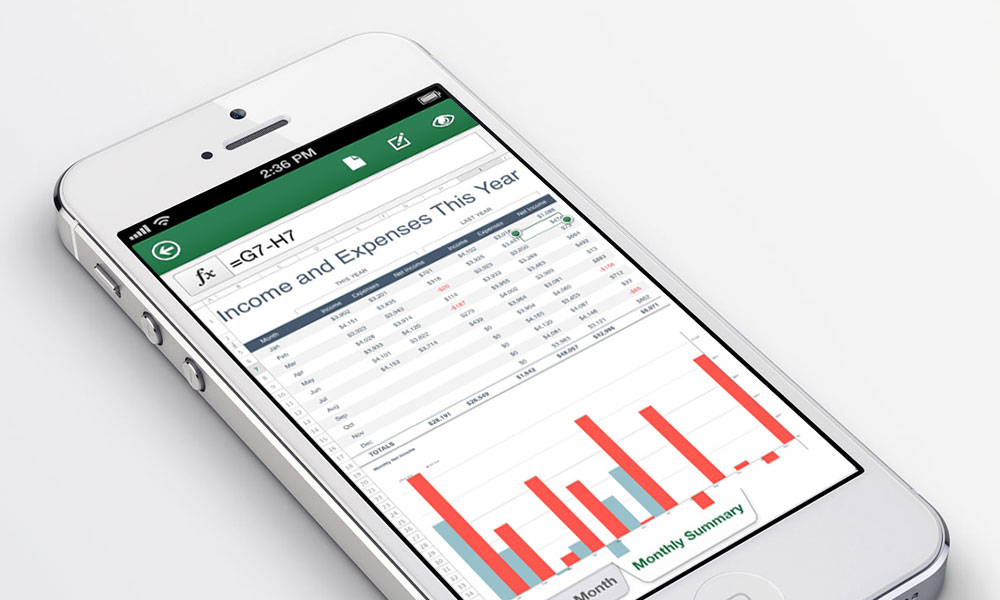
It’s a concession in app form, but one welcomed all the same.
After years of consciously avoiding putting its flagship Office in the App Store, Microsoft changed its tune last week, launching the platform for its subscription users (opens in a new tab). But given the platform’s limitations, there’s some give and take. More details:
Why now? It’s become clear in recent years that the iOS market is one Microsoft can’t afford to ignore. Office had been intended to be a differentiator for the company on the mobile market, but even if Microsoft’s footprint expanded with its Surface tablet and Windows Phone, it remained one player in a crowded field. Meanwhile, competition from established players on the iOS platform means lost ground for Office, which faces more direct competition in the mobile market than its desktop version does. (On top of this, Office’s prolonged absence left openings for different kinds of productivity apps that don’t rely on its paradigm.) “Instead of driving demand for Microsoft’s mobile devices,” PCWorld’s Tony Bradley explained (opens in a new tab), “[staying on Windows Phone] just forced users to find compatible alternatives—Documents To Go, QuickOffice, and Apple’s iWork apps—for the devices they do want to use.”
The parameters: First up, this app for the iPhone is designed for customers of the $100-per-year Office 365 software-as-a-service platform, meaning that it’s not free to use like the similar CloudOn (opens in a new tab), but designed for current Office subscribers on other platforms. And as it’s a mobile-only app, don’t expect the bells and whistles of the desktop version. Though Word and Excel documents can be created and edited using the app, the PowerPoint app allows only modest editing of text, along with the reordering and removal of slides from already-created documents. (For the iPad, Microsoft has chosen to focus on Office Web Apps, a web-based platform, over creating a native app, a move that PCWorld’s Bradley found quizzical.)
So is it worth it? The good news is that it’s easier to use than its Windows Phone equivalent, tech and culture site The Verge says, but it still is confusing; certain elements, most notably highlighting in Word and Excel, don’t work as expected. “We’d like to see some additional options for editing, including more clear options for text formatting and the ability to insert and change images,” writes The Verge‘s Tom Warren (opens in a new tab), “but it’s a solid attempt for something you’re only really going to use for editing in emergencies.”
While editing documents on a phone isn’t for everyone, this move has long been anticipated by a certain audience. Do you see yourself throwing Office on your iPhone? Leave your take below.
(Microsoft photo)

Comments
Comments are for ASAE members. Learn more about comments on this site.
Log in to your member account or join ASAE!